University & college campus parking enforcement software.
Manage student, faculty, staff, and visitor permit zones across large campus lots. nfors helps officers capture plates in one pass, check available permit-zone data, and triage unmatched results with grace, evidence, and appeal context.
Built for permit zones at campus scale.
Permit zones, enforced fairly
Student, faculty, staff, and visitor permits each map to the zones where they are valid. Configured workflows check available permit data before a charge proceeds.
Mixed permit providers, one match
Available connectors include Level Parking, Parkmobile, and ParkLync; operators can also push permit rosters and whitelists through the REST API.
After-hours & weekend permits
Time-restricted permits authorize a vehicle only inside their windows — evening commuter, weekend, or night-class passes enforce normally during the day and stand down after hours, handled automatically by the matcher.
Game-day & event block-outs
Schedule a time-bounded enforcement pause for a home game, move-in day, or commencement, then enforcement resumes automatically — no scramble to pull officers off lots or risk ticketing event parkers.
Reviewable disputes
Configured issuance workflows check grace timing and signage status and retain available photo and location context so staff can review a dispute against campus permit records.
Multi-vehicle students, handled
A student can register multiple vehicles on one permit. A one-vehicle-at-a-time rule can flag a second vehicle for human review rather than making an automatic decision.
Walk the lot once. Focus review on unmatched results.
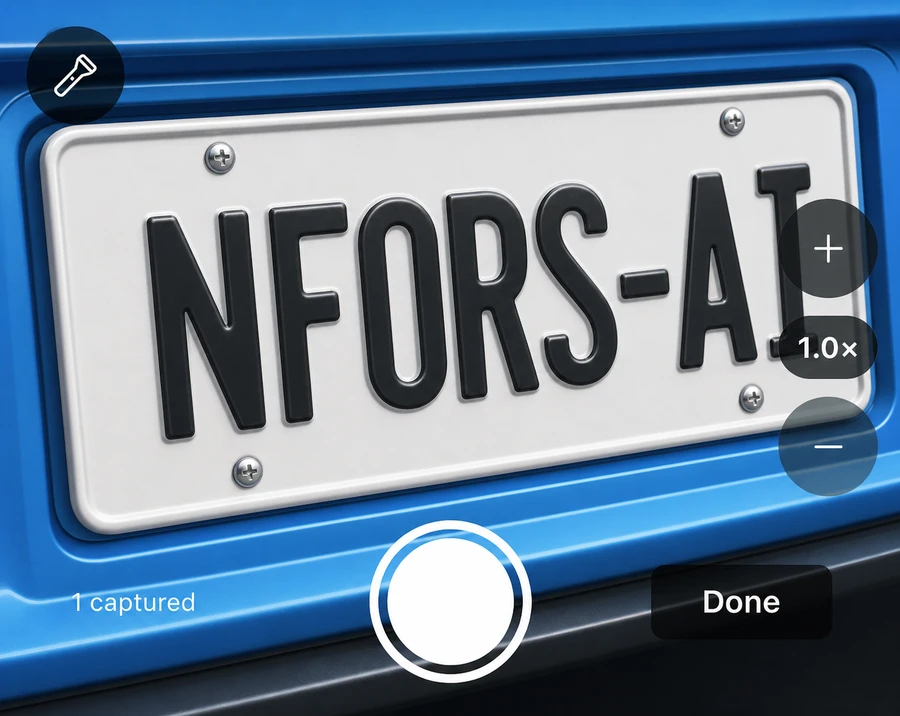
An officer walks a surface lot or garage level photographing plates as they go. The nfors Agent app reads each image, checks available permit-zone data, and stacks the results so the officer can focus on unmatched vehicles.
- One continuous pass captures plates without a manual stop at each vehicle
- Results distinguish permit, whitelist, no-match, and multi-vehicle conflict outcomes for officer review
- Low-confidence reads require human confirmation before they can proceed
Recent
Low confidence — confirm later
Common questions
How does nfors help protect registered students and staff?
Configured issuance workflows check available permit-zone and whitelist data with guarded matching for common camera confusions. A valid match returns no action; unmatched results remain subject to officer review and the applicable grace workflow.
Can a campus officer enforce a large lot quickly?
With Sweep, an officer photographs plates in one continuous pass rather than checking each vehicle by hand. The app reads each image, checks available permit data, and triages the results so the officer can focus on unmatched vehicles.
We use more than one permit provider — does that work?
Available connectors include Level Parking, Parkmobile, and ParkLync, and you can supply a permit roster or plate whitelist through the documented REST API. Source freshness depends on each provider and integration mode.
How do we handle game days and big events?
Schedule an enforcement block-out for the event window — a home game, move-in, or commencement — and enforcement pauses for that lot or the whole campus, then resumes automatically when the window ends. You can also stand up after-hours and weekend permits so event and evening parkers are authorized inside their windows without manual intervention.
Enforce every campus lot fairly — from one platform.
Free for 90 days, no credit card. Start with self-serve operator setup.